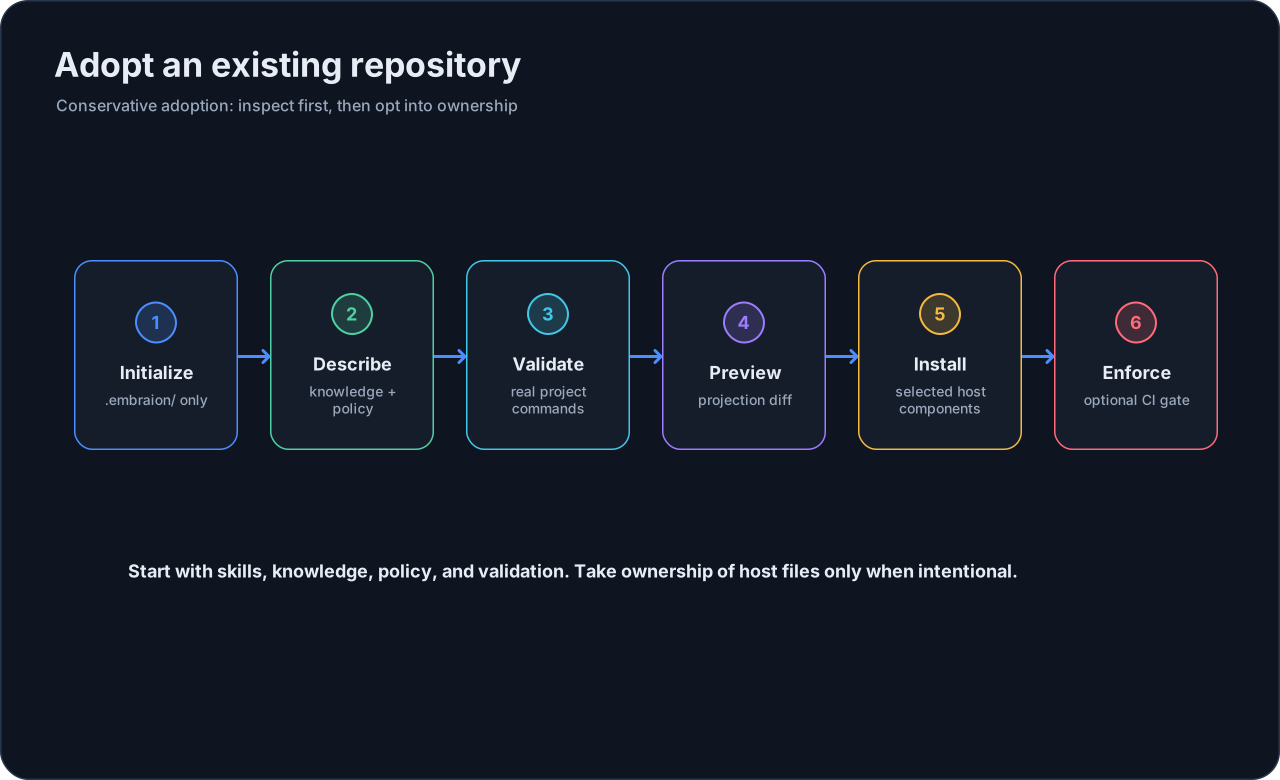
Adopt an Existing Repository
EmbrAIon can be added to a mature repository without taking ownership of files your project or AI client already manages.
The safest approach is incremental adoption.
1. Initialize project configuration
From the repository root:
embraion init
embraion doctor
This creates .embraion/ configuration and local state/cache ignore rules. It does not install executable hooks or enforcement.
2. Describe project truth first
Before generating host files, configure the project-owned source of truth:
.embraion/knowledge.yaml— architecture, product, domain, compatibility, and other knowledge files;.embraion/policy.yaml— canonical/protected/generated/external paths, privacy, and review policy;.embraion/validation.yaml— real project validation commands;.embraion/agents.yaml— only project-specific specialists you actually need.
You can ask your active AI client to inspect the repository and propose these settings. Review the diff before accepting it.
3. Preview host adoption
If your repository already has Codex/Copilot/Claude configuration, do not immediately overwrite it.
Preview the desired projection:
embraion projection diff --host codex --destination .
For selective adoption, start with reusable skills:
embraion projection diff \
  --host codex \
  --destination . \
  --component skills
Then install only that component:
embraion install \
  --host codex \
  --destination . \
  --component skills
Repeat --component when you intentionally want EmbrAIon to own more components.
4. Resolve conflicts deliberately
EmbrAIon distinguishes generated files that can be safely updated from files that are user-owned or locally modified.
If projection diff reports a conflict:
- inspect the conflicting file;
- decide which system should own it;
- prefer selective installation when only some components are needed;
- use
--forceonly when replacing the file is explicitly intended.
5. Validate the project contract
Run:
embraion doctor
embraion status
embraion policy show
embraion validation list
If validation profiles contain real commands, execute the profile appropriate for the repository:
embraion validation run affected
6. Add enforcement last
Do not start adoption by installing merge enforcement. First make project policy and validation trustworthy.
When they are ready, enforcement can be explicitly installed:
embraion enforcement install \
  --surface github-actions \
  --validation-profile affected
See Enforcement before making that status check required in repository rules.
Recommended adoption order